


Plan Smart Small-Room Layouts with a 3-in-1 Digital Bundle
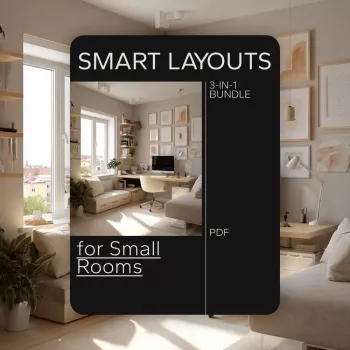
Smart Layouts for Rooms: A Digital Bundle Approach to Maximizing Small Spaces
Small rooms can feel cramped for one reason: the layout is fighting the way the room is actually used. The goal isn’t to buy more furniture—it’s to place what you already have (or plan to buy) so walking paths stay clear, storage works harder, and every seat, surface, and corner earns its keep. Our team created the Smart Layouts for Small Rooms | 3-in-1 Digital Bundle for Maximizing Small Spaces for that exact purpose: clearer measurements, smarter zones, and repeatable layout patterns that make compact rooms feel calmer and more functional.
Start with the room’s “non-negotiables”
Before you slide a sofa an inch, lock in what the room must do. When the room needs to do two jobs, zoning matters more than decoration.
- List the top 3 activities the room must support (sleeping, working, entertaining, storage, kids’ play). If you can’t name them, the room will default to clutter.
- Mark fixed elements first: doors (including swing), windows, radiators, closets, built-ins, and outlets. Layouts succeed when they respect what can’t move.
- Define the primary path from entry to the main destination. In most small rooms, keeping about a 30–36 inch walkway is the difference between “tight” and “easy.” Common clearance concepts are echoed in accessibility guidance from the ADA.
- Choose one anchor piece per zone (bed, sofa, desk, dining surface). Everything else supports that anchor—never blocks it.
The 3 layout problems that waste space (and how our bundle tackles them)
1) Furniture floats without purpose
If pieces “kind of” line the walls but don’t create usable zones, you end up with dead space and awkward movement. Fix this by assigning zones—sleep zone, work zone, storage zone—so each item has a job and a boundary.
2) Traffic cuts through the middle
When you have to walk between the sofa and coffee table to reach anything, the center becomes a bottleneck. A better move is pushing circulation to the edge: align larger pieces along longer walls and keep corners working (desk, chair, plant stand, vertical storage).
3) Storage is scattered
Small rooms suffer when storage is sprinkled everywhere in little bins. Consolidate storage into fewer, taller areas (vertical storage) and keep frequently used items closest to the point of use (shoes by the door, work supplies at the desk).
Bundle advantage: Digital layouts let you compare options side-by-side instead of rearranging a room repeatedly and losing track of what worked.
Smart layout patterns that work in most small rooms
- The Wall-Line Pattern: Put the largest piece on the longest uninterrupted wall to free the center for movement.
- The Corner-Command Pattern: Angle a desk, chair, or vanity into a corner to create a “zone” without demanding extra floor space.
- The Split-Room Pattern: Use a slim divider (open shelving, curtain, or even a rug boundary) to separate sleep and work in studios or shared bedrooms.
- The One-Statement-Surface Rule: Choose one primary horizontal surface (desk OR console OR dining). Add fold-down or nesting surfaces only when the room truly needs them.
- The Vertical Stack Strategy: Pair tall storage (bookcase/wardrobe) with low storage (under-bed/bench) so both wall space and floor space contribute.
| Room | Layout move | Best for | What to measure first |
|---|---|---|---|
| Bedroom | Bed on longest wall + narrow nightstands | Clear walkways and calmer sightlines | Bed width, door swing, closet clearance |
| Living room | Sofa against wall + nesting tables | More open floor area for movement | Sofa depth, TV wall width, main pathway |
| Home office corner | Corner desk + vertical shelving | Work zone without taking over the room | Chair pull-out space, outlet locations |
| Studio | Split-room zoning with rug + shelf divider | Separating sleep from lounge/work | Window placement, radiator/AC zones |
| Entry nook | Slim console + wall hooks | Drop zone without cluttering walkways | Door swing, walkway width |
How to use a digital bundle to plan faster (without guesswork)
- Measure once, plan many times: Capture wall lengths, ceiling height, window/door positions, and outlet locations. If you want extra precision with conversions, the NIST Guide to the SI is a reliable reference.
- Create a furniture footprint list: Write down width/depth/height for pieces you already own, plus how much space they need to function (drawer open, chair pulled out).
- Try two extremes first: one layout prioritizing openness and one prioritizing storage. Most winners are hybrids.
- Audit pain points after each draft: Where do shoes, bags, papers, or laundry land? Move storage toward those locations rather than adding more containers.
- Lock in the pathway: Any option that forces daily side-stepping won’t feel good long-term, even if it photographs well.
Practical room-by-room wins for maximizing space
What’s included in our Smart Layouts for Small Rooms digital bundle (and who it’s for)
If you’re working with compact bedrooms, living rooms, studios, or multi-use spaces, our Smart Layouts for Small Rooms | 3-in-1 Digital Bundle for Maximizing Small Spaces is designed to help you make confident decisions before you waste time (or money) on the wrong configuration.
Two extra in-stock picks that support “small-space living” habits
- Women’s Breathable Slip-On Sneakers with Non-Slip Sole for quick on/off routines at the door—especially helpful when you’re keeping the entry pathway clear.
- Heart-Shaped Ceramic Bowl for Fruit, Pasta, Salad, and Desserts as a single “statement surface” catchall on a console or dining table—one intentional landing spot beats scattered piles.
FAQ
What is the best free room layout planner?
A strong free option depends on your goal: simple 2D drag-and-drop, accurate measurements, or quick furniture templates. Whatever you choose, save/export your room measurements and use them alongside a ready-made layout guide so you’re not starting from scratch each time.














Leave a comment